Showing posts with label computer art ethics. Show all posts

Sunday, March 11, 2012

True beauty and the ethics of Photoshop

I find it fascinating how fake the models are that we see in magazines and ads.  Most models look like ordinary people before the makeup, lighting, and particularly the Photoshop adjustments, transform them into these artificial and flawless... what shall we call them?  Gods and goddesses?  Angels?  Aliens?  Whatever they are, they are not natural and they are not real.  Here are a few examples I pulled from www.hemmy.net:

(The original image is first; the Photoshop image is shown after.)


Is it just me, or do these pictures make you feel sick?  In each of these cases, I think the original model is physically attractive.  None of these photo edits make sense to me, with the exception of the blemish that was removed in the second picture (with a blemish that obvious, I think I'd remove it, too!).

And yet, it is these edited, counterfeit pictures of models that so many people -- girls and women in particular -- subconsciously look up to as standards for attractiveness and beauty.  According to a study in 2004, only 2% of women think they are beautiful (www.dove.co.uk).  This is a shockingly low number, but should it really be surprising, with the repulsive way beauty has been contorted by our media?

"I wish I looked like such-and-such an actress!" a woman may moan.  But I would plead in response:  "Please understand that you probably do!!"

If you haven't seen Dove's video "Evolution", you need to.  This is another excellent glimpse into the phony world of modeling:


Now, don't misunderstand me: I am not necessarily opposed to editing photos.  I've done it myself on a small scale.  I understand; sometimes the lighting of our photos isn't good.  Sometimes models wake up on photo day with big zits on their foreheads (GACK!!).  That isn't what I'm talking about.

What I am talking about is morphing someone into an unnatural, impossible non-human that no person could ever physically rival in real life.  I'm talking about making aliens into our standard for beauty.  I mean, you might as well make this our standard for beauty (I am talking about the left half of the picture, of course):

By the way, I have no idea what this book is about, I'm not endorsing it, and I couldn't tell you if it was extremely inappropriate or terribly written. I'm just borrowing the cover to emphasize my point... 
As computer artists, we have these questions to ask ourselves:  What is most important or valuable, as we make our computer art, or edit our photos?  What is our highest priority in this matter?  What should be our highest priority?  What power do we wield, as computer artists and culture influencers, and what are we personally doing with that power?  Let me be more specific:  Are we doing more harm or more good with that power?  And if we are doing more harm... what should we do differently so we are doing more good?

What do you think?

Saturday, January 7, 2012

How to make Calvary Hill on Bryce

Last night, after posting the "How to make a 3D snowflake on Bryce" tutorial, I had a burst of inspiration. I was too excited to wait until the next day to try it out, so I stayed up late making this:


Now I'll show you how I made it. I used the same technique described in the "How to make a 3D snowflake on Bryce" tutorial. If you haven't already, read that tutorial first, so you can understand the basics before reading this tutorial. (I won't give as many specific instructions in this tutorial; just the general steps.)

Part 1: Photoshop


Open Photoshop.


Create a new layer.


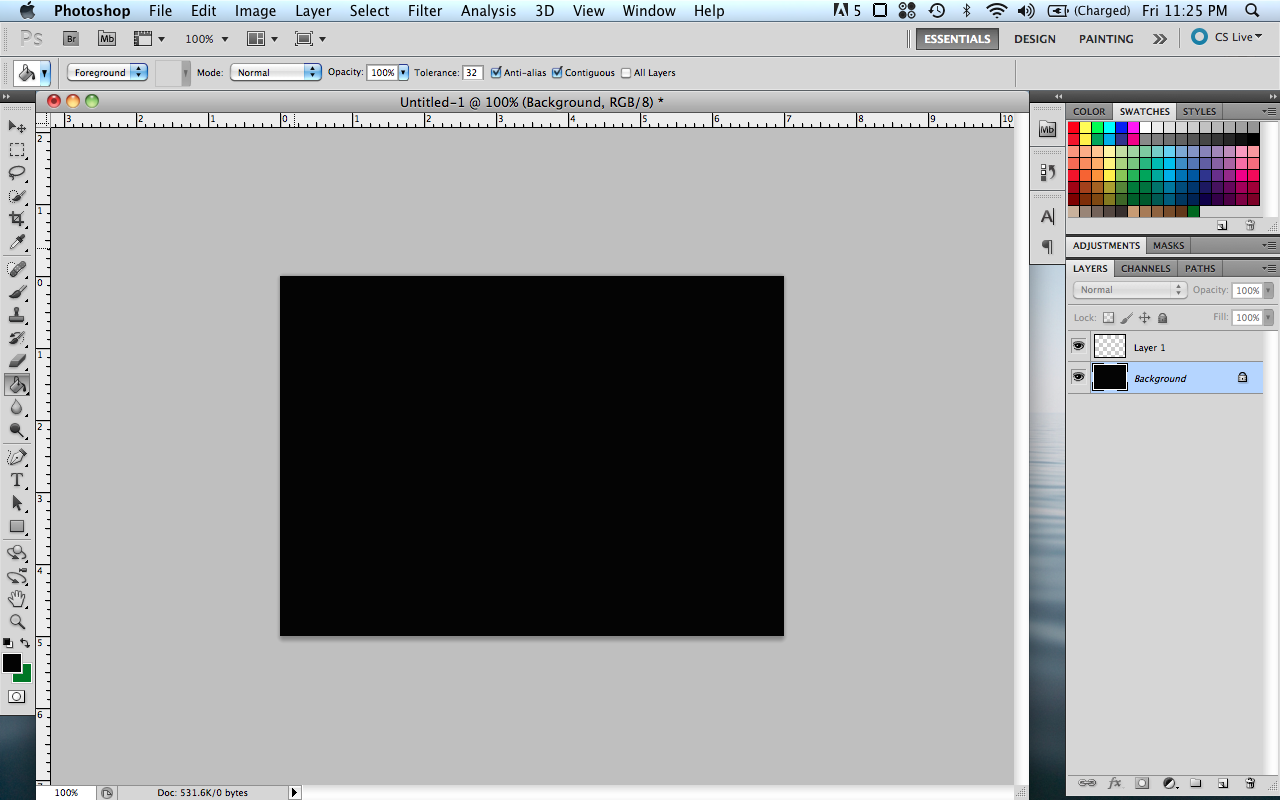
With the Paint Bucket tool, fill the background layer with black.


On the new layer, use the rectangle tool to create two white rectangles, overlapping like a cross.


Save the file as a JPEG.

Part 2: Bryce


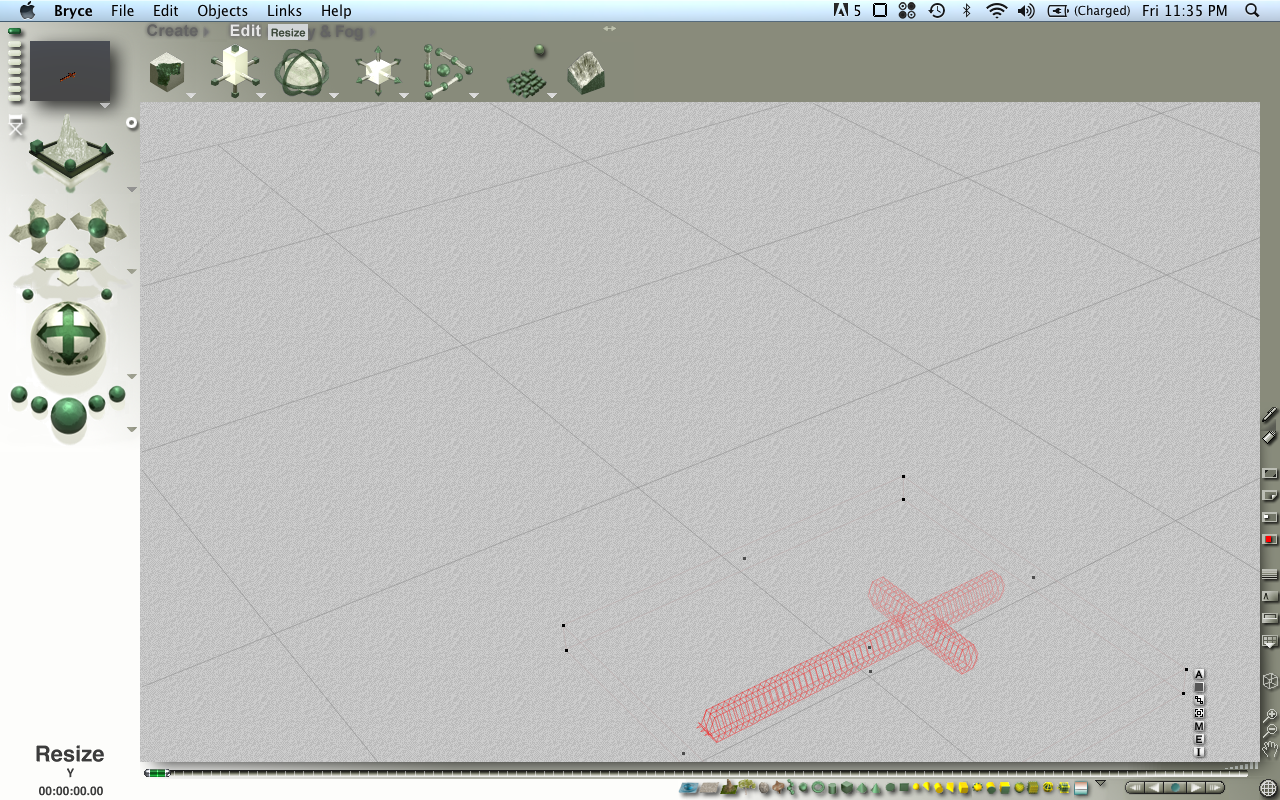
Open Bryce. Create a symmetrical lattice.


Open the editing window.


Upload the cross picture and click "Apply".


Exit the editing window. Flatten, resize, rotate, move, etc. to get the size, proportions, and position you want.


In the Materials Library, select "Cedar wood". If you want, you can render the image and see what that looks like.


Create a new terrain, and make a flat hill. (I hope to create a tutorial sometime soon with more details on how to edit terrain in Bryce.)


If necessary, resize the hill to get the proportions you want.


Move the cross.


Duplicate the cross.


In the "Sky & Fog" menu at the top of the screen, enter the Sky Lab. Then open the Sky & Fog Library.


In the Sky & Fog Library, choose the "Golden Haze" sunrise.


A test render will show something like this:


In the Sky & Fog menu, you can adjust the position of the sun to get it right where you want it.


After adjusting the sun and moving the camera to your liking, you can then get a finished result something like this:


A final side note...


Art is something God created. It is unfortunate and sad that many kinds of art, including 3D computer art, are often used for dark, disturbing, sensual, and evil purposes. Let's remember that even 3D art can be used in a way that glorifies God, and showcases light, hope, and beauty -- in the way he sees it!